STORE UPDATE
LIVE
Image
ARC Raiders │BLEAK
UndetectedDescription
- Operating system: Windows 10, Windows 11 (21H2, 22H2, 23H2, 24H2, 25H2, 26H1)
- Processor: AMD & Intel
- Video card: AMD & NVIDIA
- Client: Steam, Microsoft Store (Xbox PC)
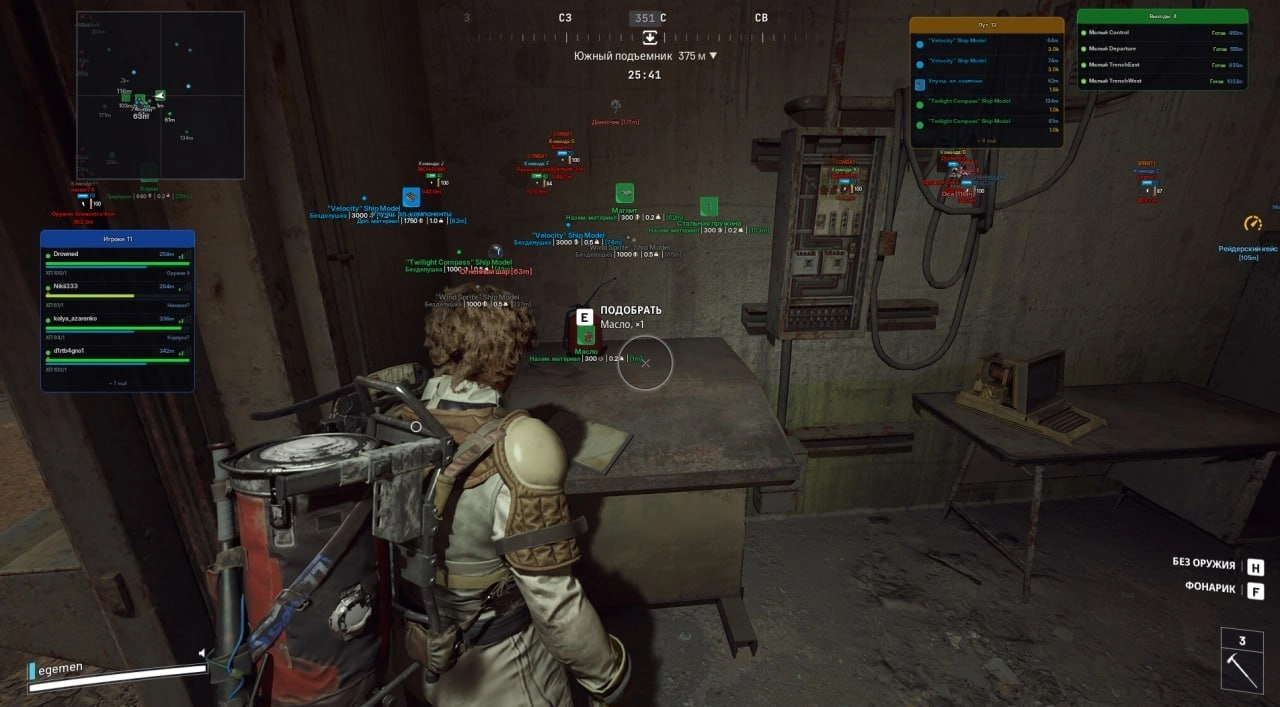
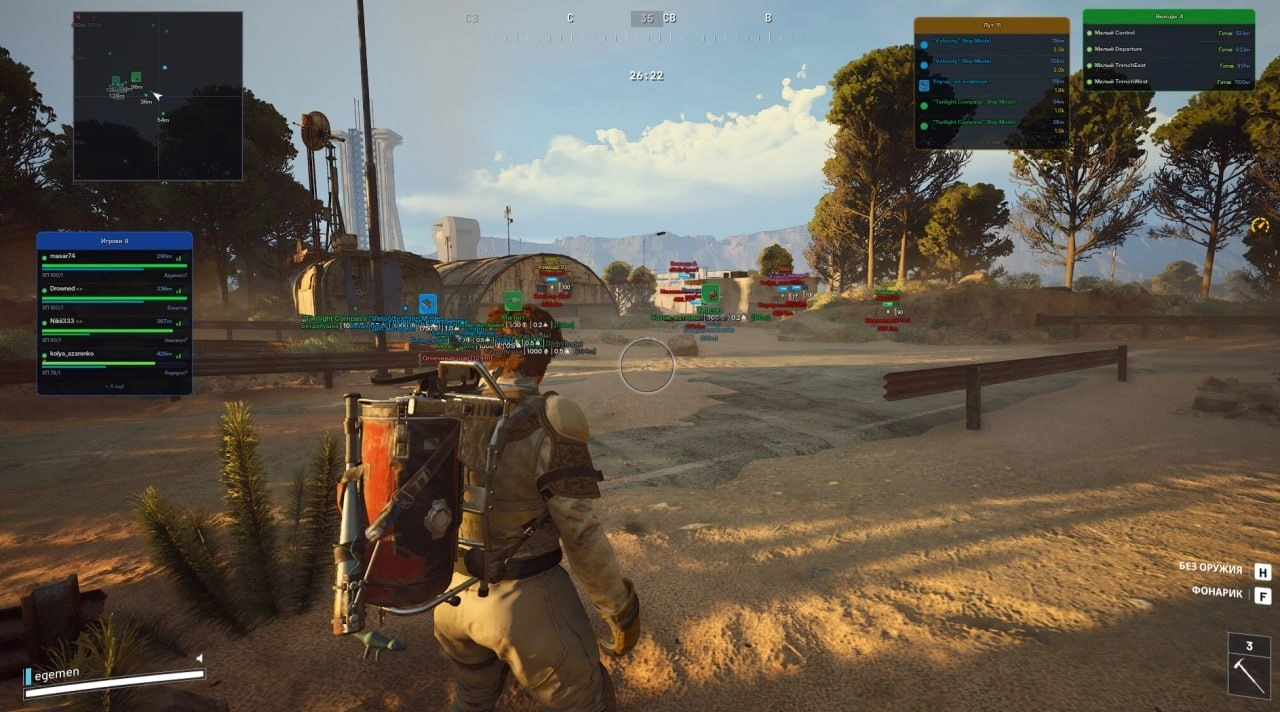
- Box – displays a box around players
- Box Style – selection of box style around the target
- Skeleton – displays the character skeleton
- Name – displays the player name (nickname)
- Distance – displays the distance to the player
- Armor Bar – displays the armor bar
- Armor Type – displays the equipped armor level
- Health Bar – displays the health bar
- HotBar Text – displays items and weapons from the quick access bar
- Players Distance – maximum player display distance
- Corpses – displays player corpses
- TeamID – displays the player’s team affiliation
- Knocked – knocked players are displayed in a different color
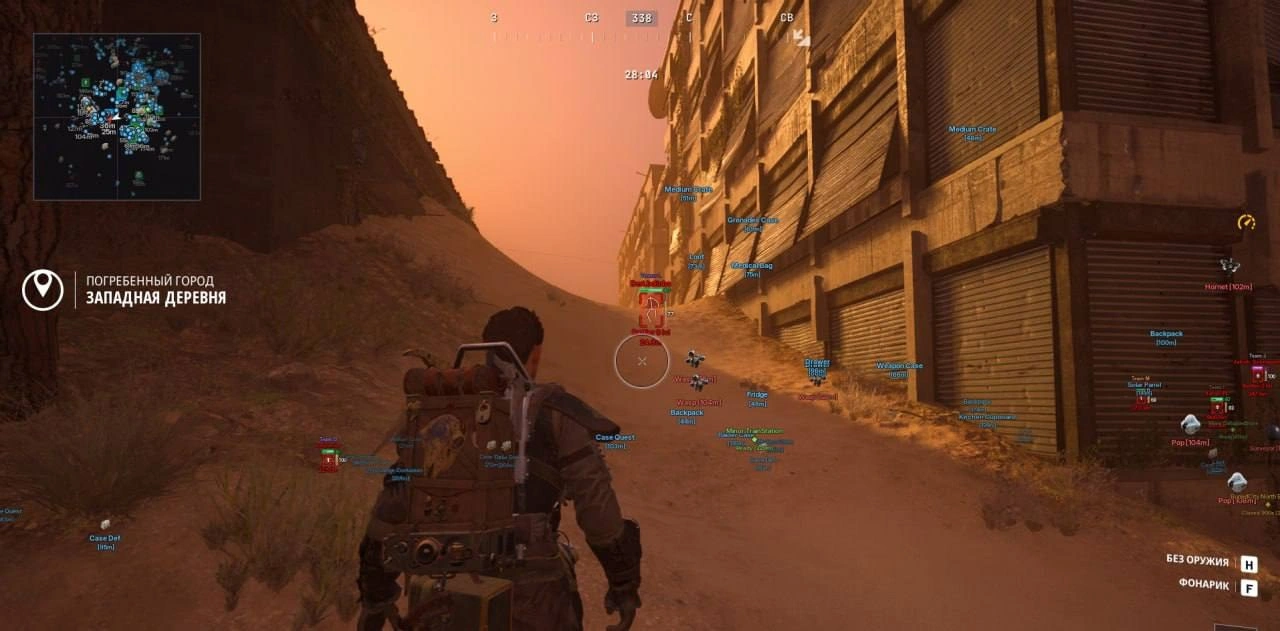
- Enable Items – enables display of items on the map
- Max Distance – sets the maximum item display distance
- Min/Max Value – displays only items with the specified minimum or maximum price
- Show Icons – displays item icons
- Show Type – displays item type
- Show Value – displays item value
- Show Weight – displays item weight
- Show Distance – displays distance to the item
- Common – displays common items
- Uncommon – displays uncommon items
- Rare – displays rare items
- Epic – displays epic items
- Legendary – displays legendary items
- Basic Material – displays basic materials
- Refined Material – displays refined materials
- Topside Material – displays topside materials
- Recyclable – displays recyclable items
- Quick Use – displays quick-use items
- Shield – displays defensive items
- Augment – displays augments
- Modification – displays modifications
- Blueprint – displays blueprints
- Hand Cannon – displays heavy weapons (Anvil, etc.)
- Battle Rifle – displays battle rifles
- Assault Rifle – displays assault rifles
- Sniper Rifle – displays sniper rifles
- SMG – displays submachine guns
- Shotgun – displays shotguns
- Pistol – displays pistols
- LMG – displays light machine guns
- Special Weapon – displays special weapons
- Ammunition – displays ammunition
- Key – displays keycards
- Trinket – displays valuable items and collectibles
- Nature – displays natural resources
- Misc – displays miscellaneous items and objects
- Item Search – displaying a specific item in the search bar for display in ESP
- Price – show the cost of the item
- Enable Radar – enables the built-in radar
- Draw Items – displays items on the radar
- Item Radar Dist – sets the item display distance on the radar
- Show Item Icons – displays item icons on the radar
- Show Item Distance – displays distance to items on the radar
- Draw Corpses – displays corpses on the radar
- Corpses Radar Dist – sets corpse display distance on the radar
- Draw Drones – displays drones and robotic enemies on the radar
- Drone Radar Dist – sets drone display distance on the radar
- Show Drone Icons – displays drone icons on the radar
- Show Drone Distance – displays distance to drones on the radar
- Draw Extractions – displays extraction points on the radar
- Extraction Radar Dist – sets extraction display distance on the radar
- Draw Containers – displays containers and loot on the radar
- Cont. Radar Dist – sets container display distance on the radar
- Draw Knocked Players – displays knocked players on the radar
- Radar Colors – allows you to separately configure the colors for live opponents, knocked players, and dead players on the radar
- Memory Aimbot – an aimbot based on reading game memory with automatic targeting of enemies
- Visible Check – targeting only visible enemies without obstacles
- Aim Key – selection of the aimbot activation key
- Aim Key 2 – an additional key for activating the aimbot
- Battle Mode Key – key for enabling battle mode (disables unnecessary ESP)
- Disable World Drones In Battle Mode – hides drone ESP during battle mode
- Disable Radar Drones In Battle Mode – hides drones on radar during battle mode
- Draw FOV – displays the aimbot activation radius
- Crosshair – displays an additional crosshair in the center of the screen
- FOV – setting the target acquisition radius for the aimbot
- Smooth – adjustment of targeting smoothness
- Prediction – predicts target movement for more accurate aiming
- Nearest Bone – automatically selects the bone closest to the crosshair
- Head Lock – prioritizes aiming at the head
- Neck Lock – prioritizes aiming at the neck
- Chest Lock – prioritizes aiming at the chest
- Auto-Fire – rapid-fire shooting for semi-automatic weapons (by holding down the button)
- Enable – enables display of drones and robotic enemies
- Distance – displays the distance to drones
- Max Distance – sets max display distance for the selected drone type
- Global Max Distance – overall max display distance for all drones
- Show Drone Icons – displays drone icons on the screen
- The Queen – displays the Queen boss
- Matriarch – displays the Matriarch boss
- Bombardier – displays the Bombardier drone
- Hornet – displays the Hornet drone
- Rocketeer – displays the Rocketeer drone
- Fireball – displays the Fireball drone
- Pop – displays the Kamikaze drone
- Surveyor – displays the Surveyor drone
- Wasp – displays the Wasp drone
- Tick – displays the Tick drone
- Turret – displays the automated turret
- Spotter – displays the Spotter drone
- Snitch – displays the Snitch drone
- Shredder – displays the Shredder drone
- Sentinel – displays the Sentinel drone
- Enable – enables display of containers and loot
- Max Distance – sets max display distance for selected container types and objects
- Global Max Distance – overall max display distance for all containers
- Distance – displays distance to containers
- Drone Container – displays drone containers
- Weapon Case – displays weapon cases
- Ammo Box – displays ammo boxes
- Medical Bag – displays medical bags
- Backpack – displays backpacks
- Grenades – displays grenades and explosives
- Default Container – displays standard containers
- Probe / Crashed – displays crashed probes
- Probe / Alive – displays active probes
- Raider Container – displays raider containers
- Quest Container – displays quest-related containers
- Security Crate – displays secure weapon crates
- Security Safe – displays secure safes
- Weapons Rack – displays weapon racks
- Fridge – displays fridges
- Freezer – displays freezers
- Computer – displays computers
- Drawer – displays drawers
- Cabinet – displays cabinets
- Lockers – displays lockers
- Closet – displays closets
- Kitchen Cupboard – displays kitchen cabinets
- Office Desk – displays office desks
- Server Rack – displays server racks
- Solar Panel – displays solar panels
- Generator – displays generators
- Stream-Proof – hides ESP on streams, video recordings, and screenshots
- ESP Preview – preview window of displayed ESP (box, names, distance, weapon)
- Config Name – creating and selecting a name for a settings configuration
- Save – saves current settings to the selected configuration
- Load – loads a saved configuration
- Refresh – refreshes the list of available configurations
- Delete – deletes the selected configuration
- Configuration Manager – manager for handling profiles and menu configurations
- Fast Animation – speeds up the animation of your character (movement, reloading, shooting, etc.)
- Brightness – allows you to increase the brightness of the image in dark rooms
- Flashlight Changer – allows you to significantly increase the brightness of your flashlight
- Invisible – enables invisibility mode for your character (only works for you)
Bundle Offers
Save when you add all items
✓ All bundle items in cart