STORE UPDATE
LIVE

Image
GTA Online│ARCANE
UndetectedDescription
- Operating system: Windows 10, Windows 11 (21H2, 22H2, 23H2, 24H2, 25H2)
- Processor: Intel & AMD
- Video card: Nvidia & AMD
- Client: Steam, Epic Games Store, Xbox (Microsoft Store), Social Club (Rockstar), GTA Online (Enhanced, Legacy)
Select a tariff using the slider
- Enabled – enables the aimbot for automatic aiming at selected targets
- Mode – aimbot operating mode (hold key, always active)
- Aim Key – selects the aimbot activation key
- Prediction – accounts for the target’s movement speed and direction for more accurate aiming
- Player Lock – locks onto a selected target until it is lost or eliminated
- Target NPCs – allows the aimbot to work on NPCs
- Target Friends – allows aiming at players added to the friends list
- Aim With Melee – enables aimbot when using melee weapons
- Aim With Throwable – enables aimbot when using throwable weapons
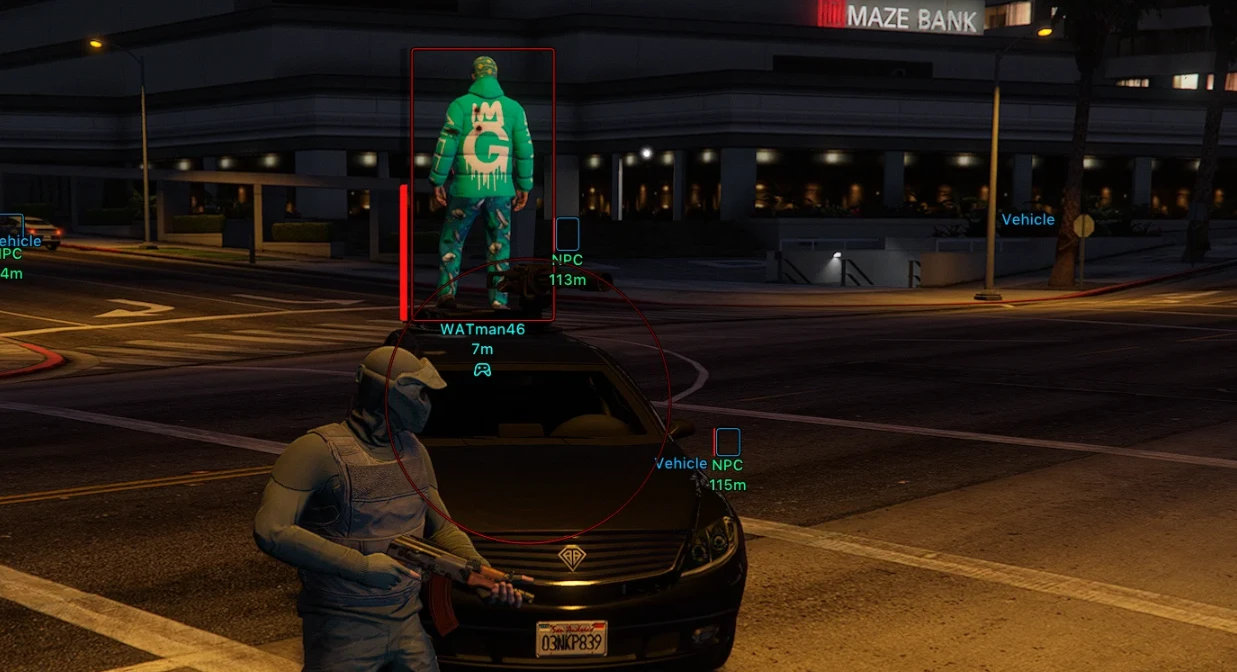
- FOV Circle – displays the aimbot working area circle
- FOV Thickness – adjusts the outline thickness of the FOV circle
- FOV Radius – changes the radius in which the aimbot searches for targets
- Hide Aim FOV On Disabled Weapon Slots – hides the FOV circle for weapon categories (melee, throwable)
- Target Selection – selects the aiming point mode (closest to crosshair, random, head, neck, chest, stomach)
- Smooth Factor – adjusts the smoothness of the aim movement toward the target
- Max Distance – maximum distance at which the aimbot will lock onto targets
- Weapons – displays weapons lying on the ground
- Ammo – shows ammo boxes
- Money – displays money drops (bags, packets, stacks, etc.)
- Health – displays medkits and other health‑restoring items
- Misc – displays various useful items and game objects
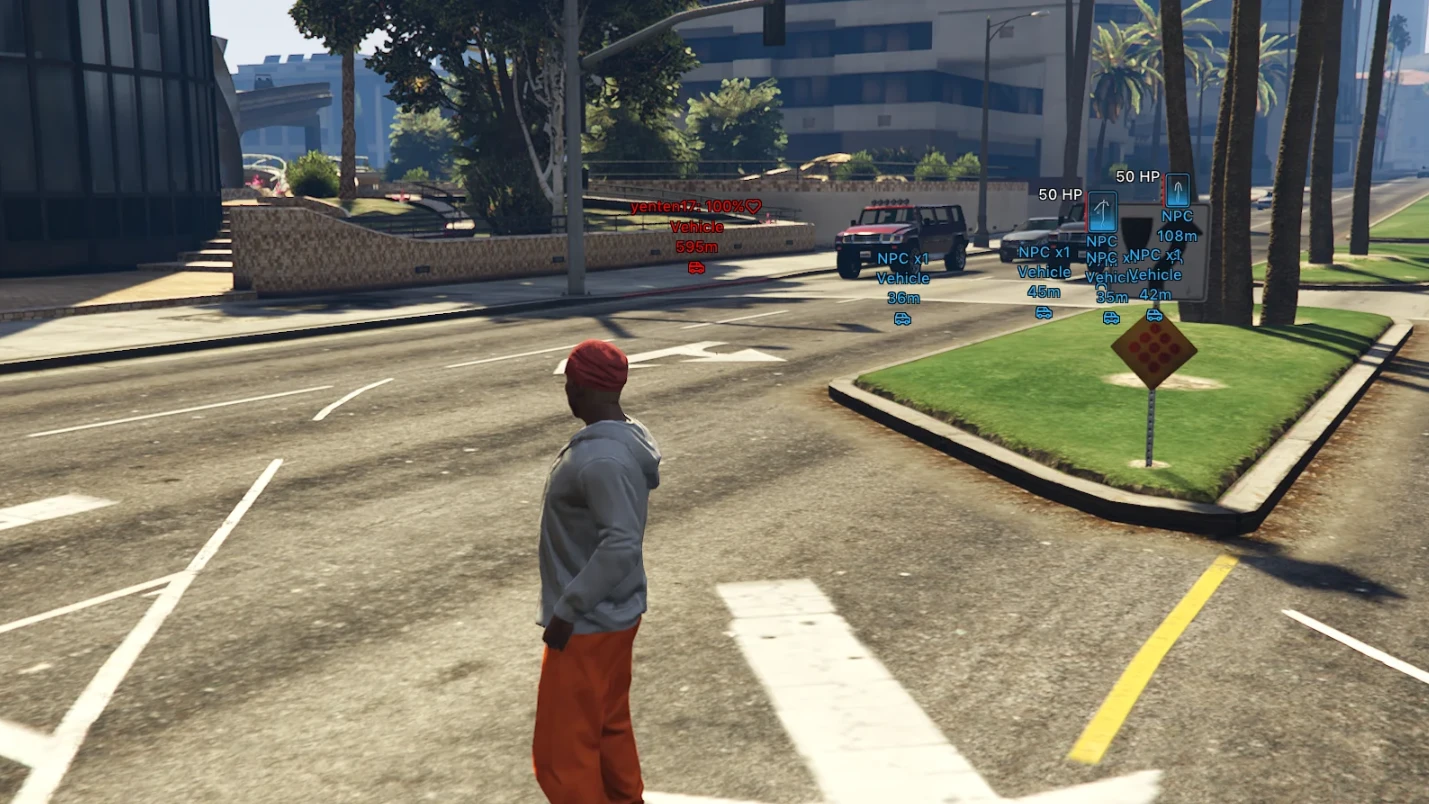
- Players Vehicles – enables ESP for vehicles owned by other players
- NPC – displays vehicles driven by NPCs
- Self Car – enables display of the player's own vehicle
- Empty – displays empty vehicles without a driver
- Render Distance – maximum distance for displaying vehicles
- Render Mode – determines how to show passengers in player/NPC vehicles (hide, info only, show model, info and model)
- Info Mode – selects how much information to show about passengers (brief, detailed)
- Info Condition – sets the condition for displaying information (always, only if above zero)
- Vehicle Info – displays additional information about the vehicle (name, distance, icon)
- Always Write – automatically applies modified vehicle handling parameters (without the need to manually save settings)
- Mass – allows changing the vehicle's mass (affecting its acceleration, stability, and collisions)
- Gravity – changes the vehicle's gravity force
- Drive Force – adjusts engine power and vehicle acceleration force
- Max Flat Velocity – changes the maximum speed of the vehicle
- Initial Max Flat Velocity – allows changing the base speed limit of the vehicle
- Drive Inertia – adjusts acceleration inertia and throttle response
- Upshift – changes the gear upshift speed
- Downshift – changes the gear downshift speed
- Brake Force – adjusts the effectiveness of the main braking system
- Handbrake Force – changes the handbrake force
- Steering Lock – allows changing the maximum wheel turn angle
- Traction Curve Max – changes the maximum tire grip level
- Traction Curve Lateral – adjusts lateral grip when cornering
- Traction Curve Min – changes the minimum tire grip level
- Traction Curve Ratio – allows adjusting the grip characteristic ratio
- Traction Spring Delta Max – adjusts the maximum grip variation depending on suspension travel
- Traction Spring Delta Max Ratio – changes the coefficient of suspension influence on grip
- Low Speed Traction Loss Mult – adjusts traction loss at low speeds
- Traction Bias Front – changes the grip distribution to the front axle
- Traction Bias Rear – changes the grip distribution to the rear axle
- Traction Loss Mult – adjusts the rate of traction loss during aggressive driving
- Downforce Multiplier – changes the downforce level at high speeds
- Centre Of Mass X – shifts the center of mass along the X axis (left/right)
- Centre Of Mass Y – shifts the center of mass along the Y axis (forward/backward)
- Centre Of Mass Z – changes the center of mass height along the Z axis
- Suspension Force – adjusts suspension stiffness
- Suspension Compression Damp – changes the suspension damping during compression
- Suspension Rebound Damp – adjusts the suspension damping during rebound
- Suspension Upper Limit – allows changing the maximum suspension travel height
- Suspension Lower Limit – allows changing the minimum suspension travel height
- Suspension Raise – changes the overall ride height
- Suspension Bias Front – adjusts suspension characteristics distribution to the front axle
- Suspension Bias Rear – adjusts suspension characteristics distribution to the rear axle
- Anti Rollbar Force – changes the anti-roll bar stiffness
- Anti Rollbar Bias Front – adjusts the anti-roll bar influence on the front axle
- Read From Vehicle – reads the current handling parameters of the selected vehicle
- Write To Vehicle – applies the changed handling parameters directly to the selected vehicle
- Non-destroyable tires – protects the car's tires from being destroyed by various game exploits and other players
- Max Engine – sets the maximum level of engine improvement, increasing the car's power and performance
- Max Brakes – sets the maximum level of the braking system for more effective braking
- Max Transmission – sets the maximum level of the transmission, improving acceleration and gear shifting
- Max Suspension – sets the maximum level of the suspension
- Max Armor – sets the maximum level of the car's armor, increasing its durability
- Turbo – installs a turbocharger to increase engine power and improve acceleration
- Xenon Headlights – installs xenon headlights
- Neon – installs a neon light on the car
- Horn – installs an improved car horn
- Force Max Tuning – applies all maximum car upgrades, even if individual tuning levels are not yet unlocked and are not available in Los Santos Customs
- Car Color – allows you to manually customize the car's color
- Random Common – randomly selects a single common color for the car
- Random Separate – randomly assigns separate colors to different car elements
- Rainbow – automatically changes the car color, creating a smooth rainbow effect
- Network Players – displays real players
- NPC – displays bots and peds
- Animals – displays animals
- Enabled – enables ESP display of players/peds
- Draw Friends – displays players from the friends list
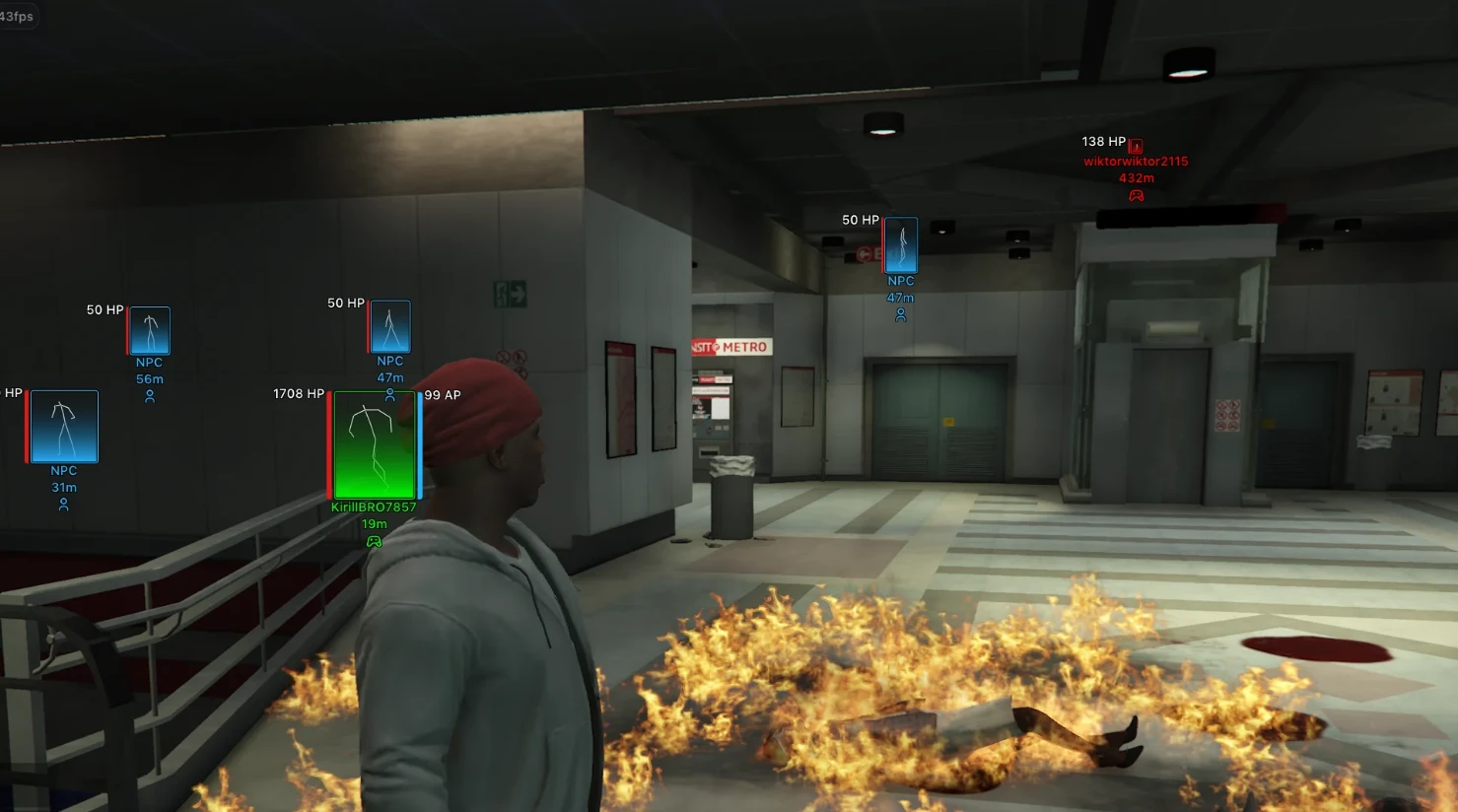
- Name – shows player information (nickname, distance, icon)
- Render Distance – maximum distance at which player ESP works
- Bounding Box – displays the outline of the player model (boxes, corners only)
- Filled Box – fills the inside of the box with color (gradient or solid fill)
- Health Bar – displays a health bar next to the player model (solid color, value‑based, gradient)
- Armor Bar – displays an armor bar next to the player model (solid color, value‑based, gradient)
- Bars Render Condition – condition for showing health and armor bars (always, only if above zero)
- Skeleton – displays the skeleton of the player model for more precise tracking of body parts even at distance
- Draw Self – display ESP on your character
- Never Wanted – completely disables gaining wanted level
- Infinity Health – makes health infinite
- Infinity Armor – keeps armor at maximum
- Infinity Stamina – disables stamina consumption when running, swimming, and other actions
- Infinity Vehicle Health – makes the player's vehicle nearly invulnerable to damage
- Teleport Waypoint Key – hotkey for instant teleportation to the selected map waypoint
- Instant Death Key – hotkey for instantly killing the character
- No Spread – completely removes bullet spread, significantly improving shooting accuracy
- No Recoil – disables weapon recoil, keeping the crosshair on target after each shot
- Extended Damage – increases weapon damage dealt
- Speedhack – allows you to increase your character's speed
- Swim Speed – separate setting for swimming speed
- invisibility – hide your character's model (invisibility)
- Explosive Bullets – enable Mk2 explosive bullets
- Languages – the menu supports multiple languages (English, Russian, Chinese)
- Crosshair – enables a custom crosshair display (customizable)
- DPI Scale – changes mod menu UI scale (100%, 125%, 150%)
- Theme – two menu themes (light, dark)
- Show FPS – displays real FPS on screen
- Reduce Opacity When Hovered – makes ESP semi‑transparent when hovered (adjustable)
- Menu Key – assigns the key to open and close the mod menu
- Unload Key – assigns the key to completely unload the cheat from the game
- Battle Mode Key – assigns a hotkey for quick combat mode toggle (customizable)
- Hide Animals – hides animals in battle mode
- Hide Vehicles – hides vehicles in battle mode
- Hide NPCs – hides NPCs in battle mode
- Hide Pickups – hides all pickup items (weapons, ammo, money, and other items)
- Configs System – a full profile system with your saved settings for different playstyles and tasks (create, load, save, rename, share, delete)
Bundle Offers
Save when you add all items
✓ All bundle items in cart