STORE UPDATE
LIVE
Image
Rust │Morphine
UndetectedDescription
- Operating system: Windows 10, Windows 11 (21H2, 22H2, 23H2, 24H2, 25H2)
- Processor: Intel & AMD
- Video card: Nvidia & AMD
- Client: Steam
- Enable – turns player ESP on/off
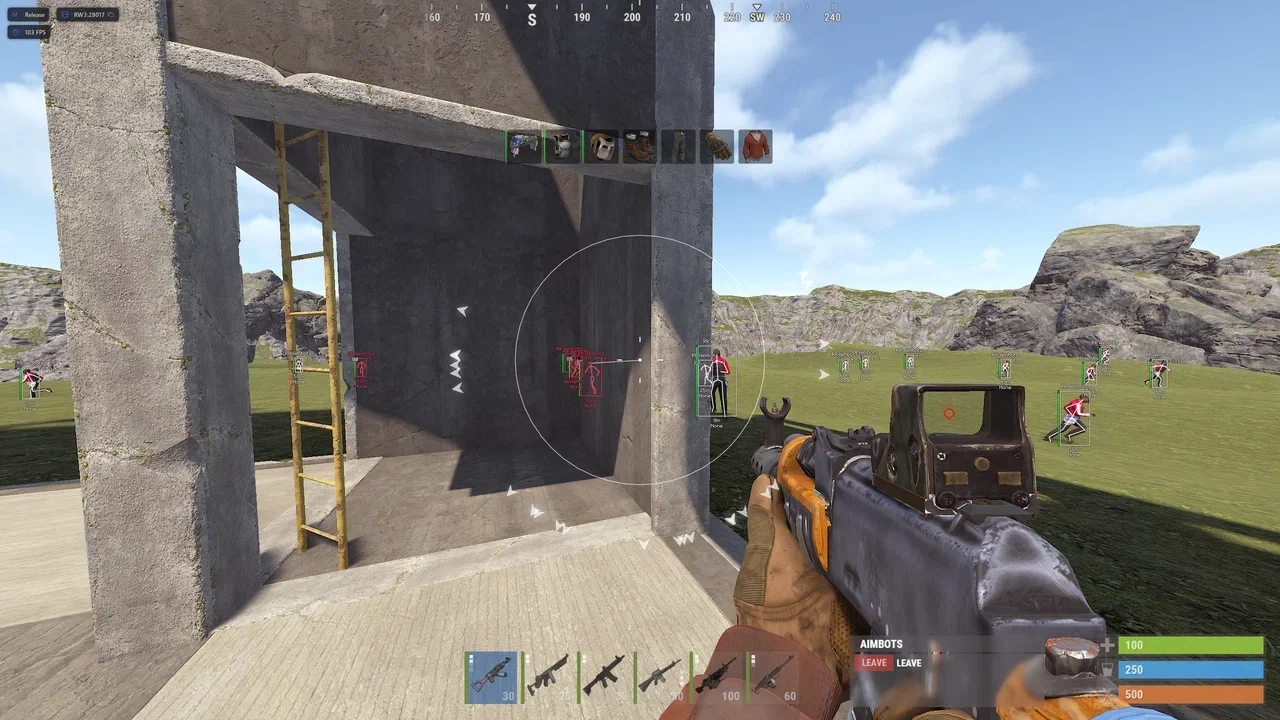
- Visible Check – players in line of sight are highlighted with a different color
- Player Type – allows configuring WH for each player type separately
- Enemies – display other players/enemies
- Sleepers – highlights sleeping players with a separate color
- Wounded – highlights wounded players with a separate color
- Box Style – choose the style of the box around the player model
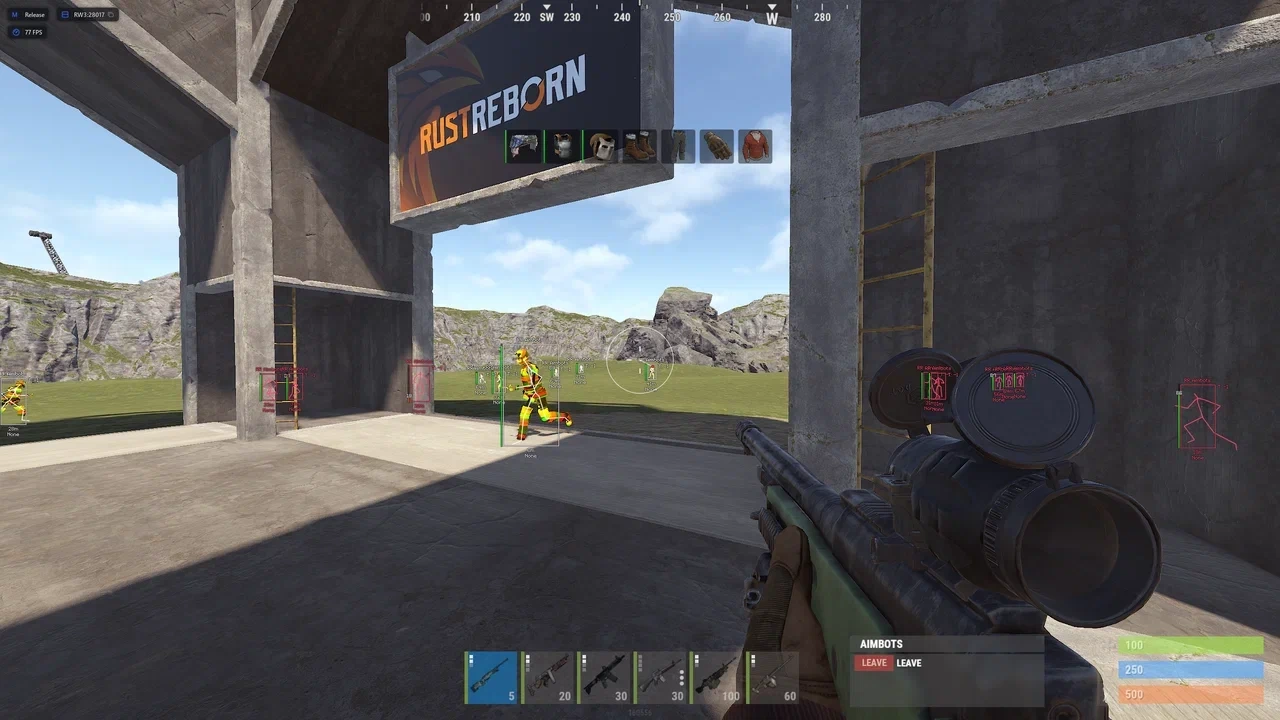
- Box – displays a box around the player model
- Skeleton – displays the player model skeleton
- Health Bar – shows the player's health bar
- Nickname – displays the player's nickname
- Distance Tag – shows the distance to the player
- Team ID – displays the player's team identifier
- Flags – shows additional statuses and information about the player
- Held Item – displays the item in the player's hands
- Item Icon – shows the icon of the item in the player's hands
- Draw Indicators – enables additional indicators for players
- Indicator Settings – indicator display settings
- Draw on Map – displays players on the map
- Draw on Radar – displays players on the radar
- Chams – enables WH highlighting of player models through the selected display style
- Max Distance – sets the maximum display distance for players
- ESP Preview – preview window for ESP settings
- Hitmarkers – displays a visual hit indicator on the target
- Rocket Helper – enables an assistant for using rocket weapons
- Reload Indicator – displays a weapon reload indicator
- Local Tracer – shows the local trace or trajectory of shots
- World Tracer – displays shot traces or trajectories in the game world
- Copy Steam Link – allows copying the selected player's Steam link
- Hotbar – displays the player's quick access bar (hotbar)
- Clothing – shows the selected player's gear and clothing
- Enable Radar – enables on-screen radar (configurable)
- Recoil Compensation – enables weapon recoil compensation
- No Recoil – disables recoil while shooting
- No Spread – removes bullet spread
- Shotgun No Spread – disables pellet spread when firing shotguns
- Force Automatic – allows using automatic fire mode
- Fast Bullet – increases bullet velocity
- Rapid Fire – increases the weapon's rate of fire
- Fat Bullet – increases the bullet hitbox size
- Always Shoot – allows firing under certain weapon restrictions
- Instant Eoka – speeds up the firing of the Eoka homemade pistol
- Instant Bow – speeds up the use of the regular bow
- Instant Compound – speeds up the use of the compound bow
- Localization – the menu is available in English and Russian
- Accent Color – allows choosing the menu accent color
- Lock Mouse – blocks mouse clicks in the game while the menu is open
- Support Scroll – enable mouse wheel scrolling support
- Risk Mode – disable all risky features in the menu
- Configurations – a system of your settings for different playstyles with convenient management
- Hand Chams – displays a cham overlay on your hands
- Weapon Chams – displays a cham overlay on your weapon
- Battle Mode – disables unnecessary ESP at the press of a button
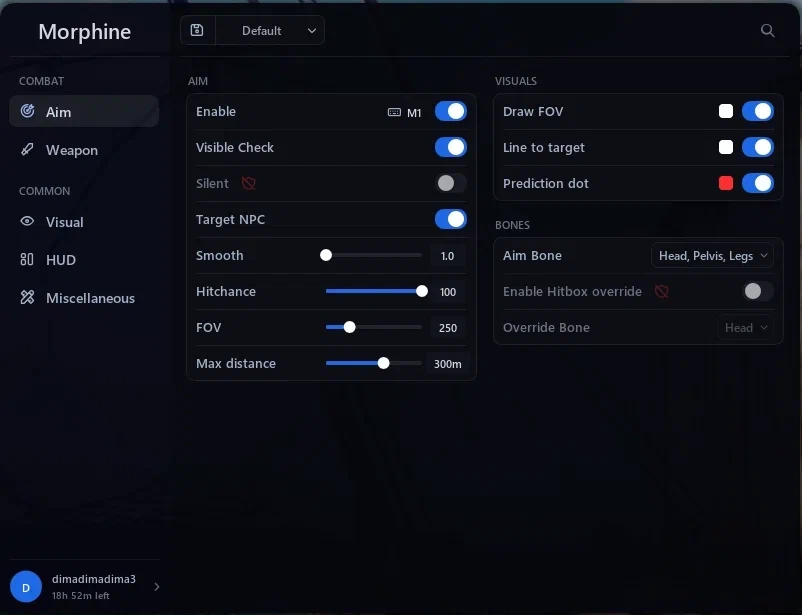
- Enable – turns the aimbot on and off
- Aim Key – assigns the aimbot activation key
- Visible Check – the aimbot works only on visible targets
- Silent – enables silent aim without normal crosshair movement
- Target NPC – enable/disable aim on NPCs
- Smooth – adjusts the smoothness of aiming at the target
- Hitchance – the chance of the aimbot triggering/hitting the target
- FOV – the size of the target acquisition area
- Max Distance – sets the maximum distance for the aimbot to work
- Draw FOV – displays the aimbot range on the screen
- Line to Target – draws a line from the crosshair to the selected target
- Prediction Dot – displays the movement prediction point of the target
- Aim Bone – allows selecting body parts to aim at (head, pelvis, and legs)
- Override Bone – select a specific bone for forced aiming
- Raid ESP – displays information about raid events and activity
- Sleeping Bag – shows the location of sleeping bags
- Cupboards – displays cupboards for resource storage and building control
- Workbenches – shows the location of workbenches
- Gun Trap – displays automatic gun traps
- Turret – shows the location of auto turrets
- Sam Site – displays SAM site positions
- Flame Turret – shows flame turrets
- Land Mine – displays the location of land mines
- Corpses – shows player corpses
- Backpacks – displays backpacks with items
- Dropped Items – shows items lying on the ground
- Animals – shows the location of animals
- Bradley – displays the Bradley APC
- Chinook – shows the CH-47 Chinook helicopter
- Patrol Heli – displays the patrol helicopter
- Mini Copter – displays minicopters
- Scrap Heli – shows the Scrap Transport Helicopter
- Bicycle – displays bicycles
- Motor Bike – shows motorcycles
- Horse – displays horses
- Boat – shows boats
- Sulfur – displays sulfur ore deposits
- Metal – shows metal ore deposits
- Stone – displays stone deposits
- Hemp – shows hemp plants
- Crates – displays loot crates
- Infinite Jump – allows performing multiple jumps
- Speedhack – increases the character's movement speed
- Spider – allows moving on steep surfaces and obstacles
- Auto Sprint – automatically enables sprint while moving
- Free Camera – enables a free-fly camera
- Third Person – switches the camera to third-person view
- Zoom – allows changing the zoom level
- Change FOV – changes the camera field of view
- Aspect Ratio – allows changing the image aspect ratio
- No Sway – disables weapon and hand sway
- No Bob – removes camera bobbing while moving
- No Animation – disables certain character and weapon animations
- Hand Position – allows changing the position of hands and weapon on the screen
- Remove Layers – removes certain visual layers of buildings (by keybind)
- Fast Loot – speeds up item looting
- Instant Revive – allows instantly reviving another player
- Loot All Containers – speeds up looting container contents
- Drop All – allows quickly dropping all items (by keybind)
- Bright Ambient – makes ambient lighting brighter and improves visibility in dark areas
- Fog Color – allows changing the fog color
- Sky Color – changes the sky color
- Change Clouds – configure cloud display and appearance
- Change Stars – allows changing the appearance of the starry sky
- Change Time – changes the time of day in the game
- Change Atmosphere – allows configuring the visual atmosphere parameters
- Change Weather – changes weather conditions and their visual appearance
Bundle Offers
Save when you add all items
✓ All bundle items in cart